Splitwise is the best-known expense-splitting app. If you've ever split rent or a dinner bill with friends, you've probably used it. So why would you look at an alternative?
Honestly? For a lot of people, Splitwise is fine. But if you've hit its daily limit on the free plan or you're tired of the ads, it's worth knowing what alternatives exist. Split Maadi is a free Splitwise alternative that does the core job (group expenses, flexible splits, simplified settle-up suggestions) without a paid plan.
Splitwise details on this page were checked in October 2026 against Splitwise's own website, help center and App Store listing. Sources are listed at the end.
The pricing situation
This is the big one. Splitwise has a free plan and a paid Pro subscription. On the free plan you can add up to four expenses a day, and Pro removes ads. Pro also adds unlimited expenses, expense search, currency conversion, receipt scanning and itemization, charts, default splits, and transaction import in some countries. Pro prices vary by country, platform and offer, so check the price in your app store.
Split Maadi is free, with no ads and no paid plan. There's no daily cap on expenses, and receipt scanning, recurring expenses and percentage splits are all included. Groups can have up to 50 people.
If you're the kind of person who refuses to pay for Splitwise Pro but gets annoyed by the ads and the daily limit, this alone might be enough reason to switch.
If you're coming from a spreadsheet rather than Splitwise, we wrote about why apps tend to win that comparison (and when they don't).
Feature comparison
Here's a straightforward look at what each app offers. "Not checked" means we didn't find it in Splitwise's own documentation, so we don't claim either way.
| Feature | Split Maadi | Splitwise |
|---|---|---|
| Price | Free, no ads, no paid plan | Free plan with ads; paid Pro subscription |
| Expenses per day | No daily cap | Up to 4 a day on the free plan; unlimited with Pro |
| Equal, exact-amount, percentage split | Yes | Yes |
| Split by shares | No | Yes |
| Currencies | 30; one currency per group, no conversion | Pick a currency per expense; converting balances to one currency is Pro |
| Receipt scanning | Yes: reads the items, you pick which count, the total fills in | Pro (scanning and itemization) |
| Assign receipt items to people | No | Pro (itemization) |
| Receipt photos on expenses | Up to 5 per expense | Not checked |
| Recurring expenses | Yes: weekly to yearly, a draft you confirm each time | Yes (listed on splitwise.com) |
| Simplified settle-up | Yes: suggests fewer payments, or switch to who-owes-whom | Yes ("simplify debts", listed on splitwise.com) |
| Reminders | Remind button (push, with email as a fallback) or share a reminder | Not checked |
| Pay inside the app | No; save a UPI, PayPal, Venmo or Cash App handle for others to copy | Splitwise Pay, Venmo and PayPal in the US; bank transfers in some European countries |
| Search expenses | Filters by who paid and who's involved; no free-text search | Pro |
| Charts and spending breakdown | No charts; group total and each member's paid, share and net | Pro |
| Export | No | Spreadsheet export; JSON backup is Pro |
| Import from another app | No | Pro, in some countries |
| Platforms | iPhone, iPad, Android, web | iPhone, Android, web |
A few things stand out. Splitwise has payment integrations in some countries: in the US you can settle up through Splitwise Pay, Venmo or PayPal. Split Maadi never moves money. You can save your UPI ID or PayPal, Venmo or Cash App handle so friends can copy it, but the payment happens outside the app and you record it. If you rely on in-app payments, Splitwise has a real advantage here.
Both apps support percentage splits. Split Maadi has three split types: equal, exact amounts and percentage. Splitwise also has shares, and with Pro you can save default splits for a group. Split Maadi doesn't save split templates; a recurring expense repeats the same split each time.
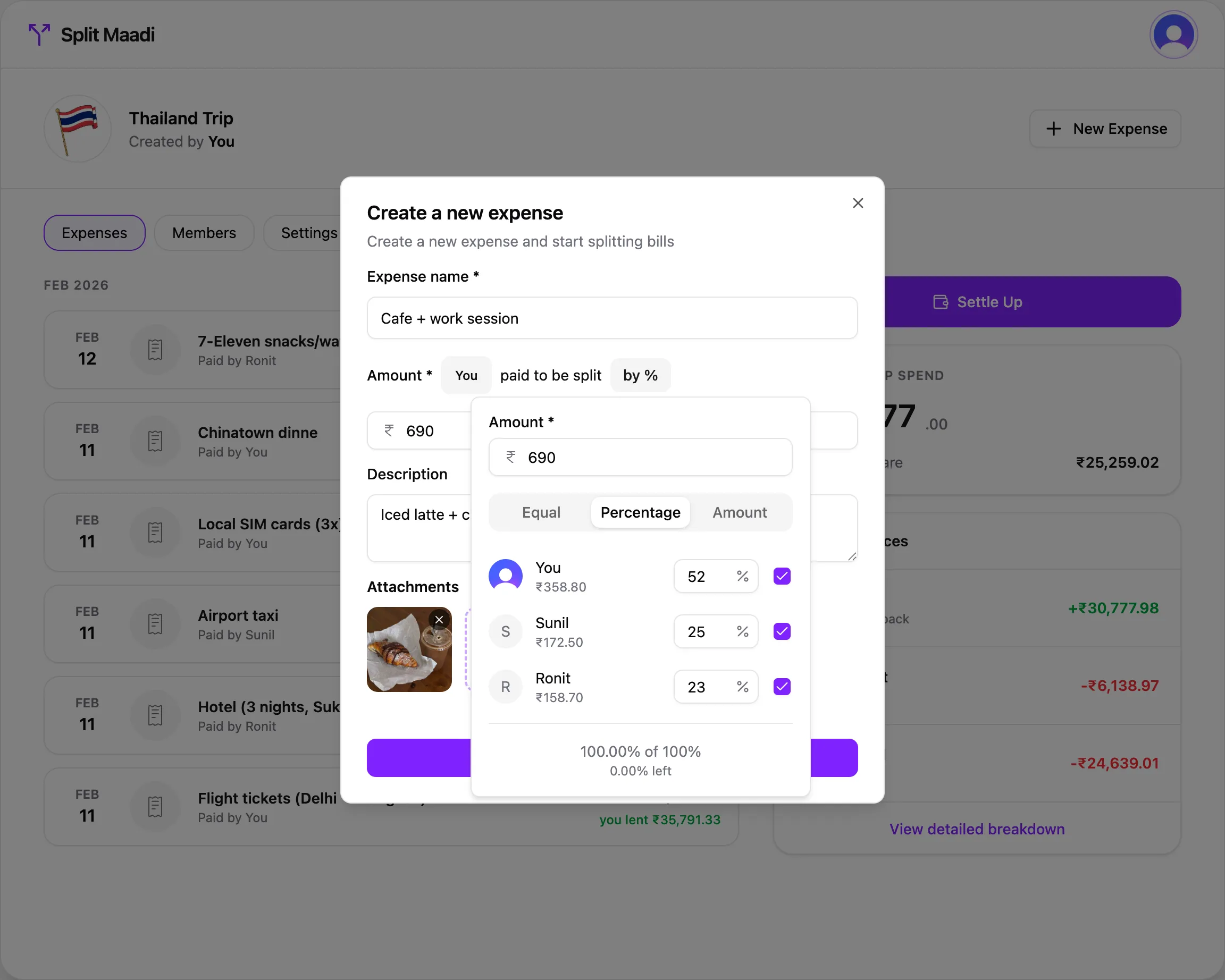
Currencies work differently too. Splitwise lets you pick a currency for each expense, and Pro converts everything into one currency for settling. Split Maadi sets the currency once per group, from 30 options, and doesn't convert. For an international trip you'd set the group to the destination currency and convert anything paid in another currency yourself. If you're mixing currencies a lot within the same group, Splitwise handles that more flexibly.
The user experience
Splitwise has accumulated a lot of features over the years. That's both good and bad. Good because it covers a ton of use cases. Bad because the app has grown busier, and the free version shows ads.
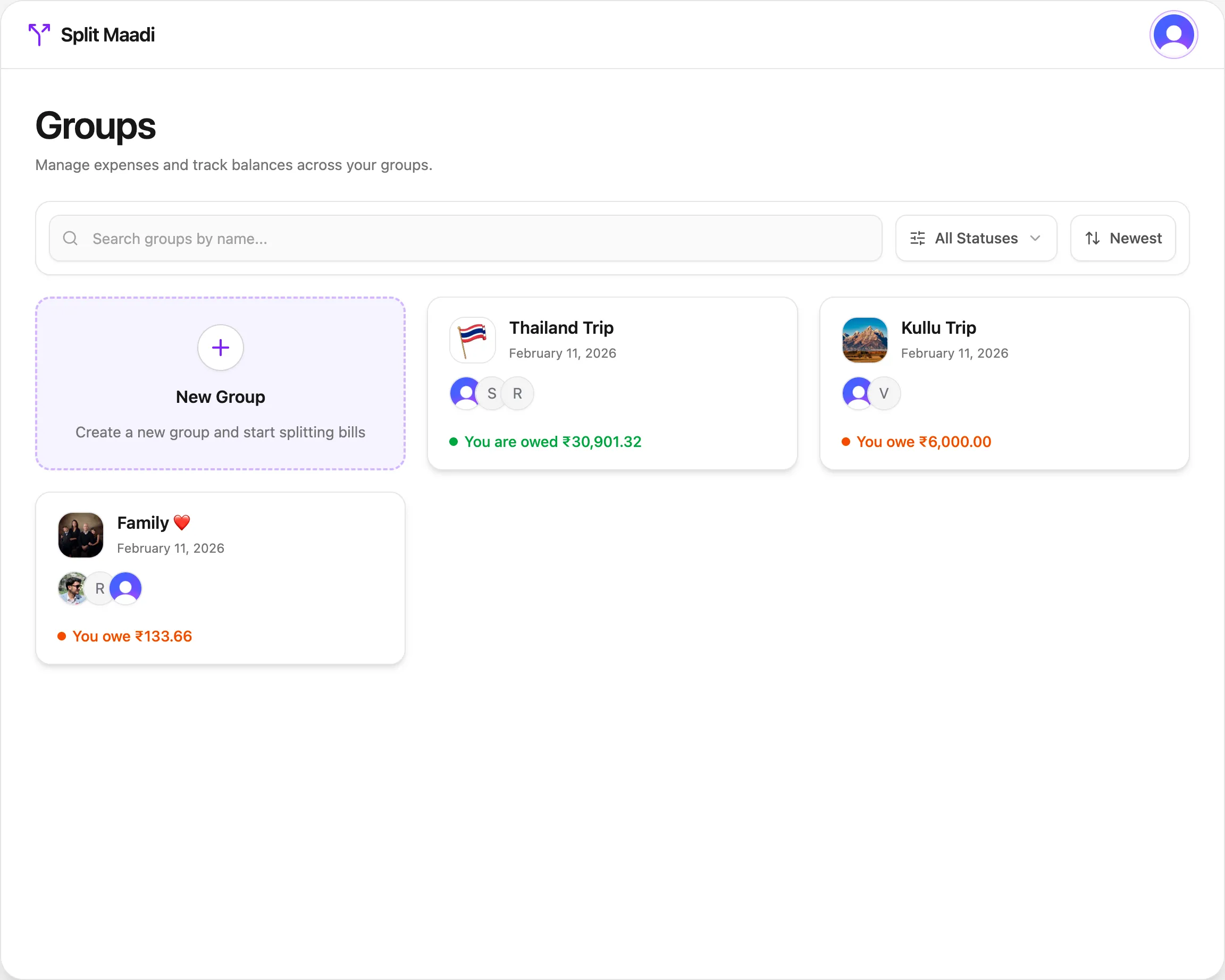
Split Maadi is newer, and it has no ads and no upsell banners. You open the app, add an expense, and move on.
That said, "newer" also means "less battle-tested." Splitwise has had many more years to iron out edge cases. Split Maadi is actively developed and improving, but it hasn't been through the same volume of real-world usage yet.
Where Splitwise wins
Being honest here — Splitwise is better in several areas:
User base. If your flatmates, travel buddies, or friend group already use Splitwise, there's real friction in asking everyone to switch. Network effects matter, and Splitwise has them. Split Maadi can't import your Splitwise history, so switching means starting a fresh group.
Payment integrations. Settling up through Splitwise Pay, Venmo or PayPal without leaving the app is genuinely useful where it's available. Split Maadi doesn't move money: you pay outside the app and record it.
More ways to split and count. Shares, several currencies in one group, currency conversion (Pro) and receipt itemization (Pro) cover cases Split Maadi doesn't, such as one dinner bill where each person's dishes are assigned to them.
Track record. Splitwise has been running for many years. It's a known quantity. Split Maadi is the new kid. Some people prefer the app that's been around longer, and that's a perfectly reasonable preference.
Spending insights and export. Splitwise Pro has charts, and its free plan can export a spreadsheet. Split Maadi has neither: it shows each group's total spend and each member's paid, share and net amounts.
Where Split Maadi wins
Price. No ads, no paid plan and no daily cap on expenses.
Receipt scanning without a subscription. Scan a receipt (up to 5 photos), tick the items that count, and the total fills in. It doesn't assign items to people.
Built-in extras. Recurring expenses that create a draft for you to confirm, a Remind button, a Friends view that shows what each person owes you across groups, and your UPI ID or payment handle shown to whoever owes you.
Clean UI. No ads cluttering the screen. No banners asking you to upgrade. Just the app.
Who should use what
Stick with Splitwise if:
- Your friend group already uses it and switching would be a hassle
- You want to pay through the app (Splitwise Pay, Venmo or PayPal in the US)
- You need several currencies in one group, conversion, shares or itemized receipts
- You want spending charts or a spreadsheet export
- You prefer an app with a long track record
Give Split Maadi a try if you're starting fresh — new flat, new trip, new group — and don't have an existing app everyone's locked into. It's also worth a look if Splitwise's free plan has been annoying you with ads and the daily limit. It's free, with no ads and no paid plan, and it does the core job without the noise.
Split Maadi isn't trying to be Splitwise with more features. It's a simpler alternative that gets out of your way.
The easiest way to see if it works for you is to just try it. Create a group, add a couple of expenses, invite a friend. It costs nothing.
Looking at other options too? We reviewed the best free Splitwise alternatives if you want to compare more broadly.
Sources
Splitwise details checked in October 2026. Splitwise may change its plans and features; check its site for the current details.
- What is Splitwise Pro? (Splitwise help center): the four-expenses-a-day free limit, the Pro feature list and plan types
- Splitwise Pro: Pro's ad-free experience
- Splitwise home page: platforms, simplify debts, recurring expenses
- Managing multiple currencies (Splitwise help center)
- Ways to split an expense (Splitwise help center)
- Exporting your data (Splitwise help center)
- Sending money on Splitwise (Splitwise help center)
- Splitwise on the US App Store: Pro prices vary by plan