Split expenses without the awkward math.
Keep friendships intact when money gets involved. Create a group, add your expenses, and let Split Maadi handle who owes what.
Available on web, iOS, and Android — free forever.
Fair splits, zero effort.
From dinner tabs to monthly rent, Split Maadi handles the math so you don't have to.
Create groups for trips, flats, or dinners. Add expenses and see where the money goes.
Designed for real-life splitting.
Whether it's groceries with your flatmate or a group vacation, Split Maadi adapts to how you actually share expenses.
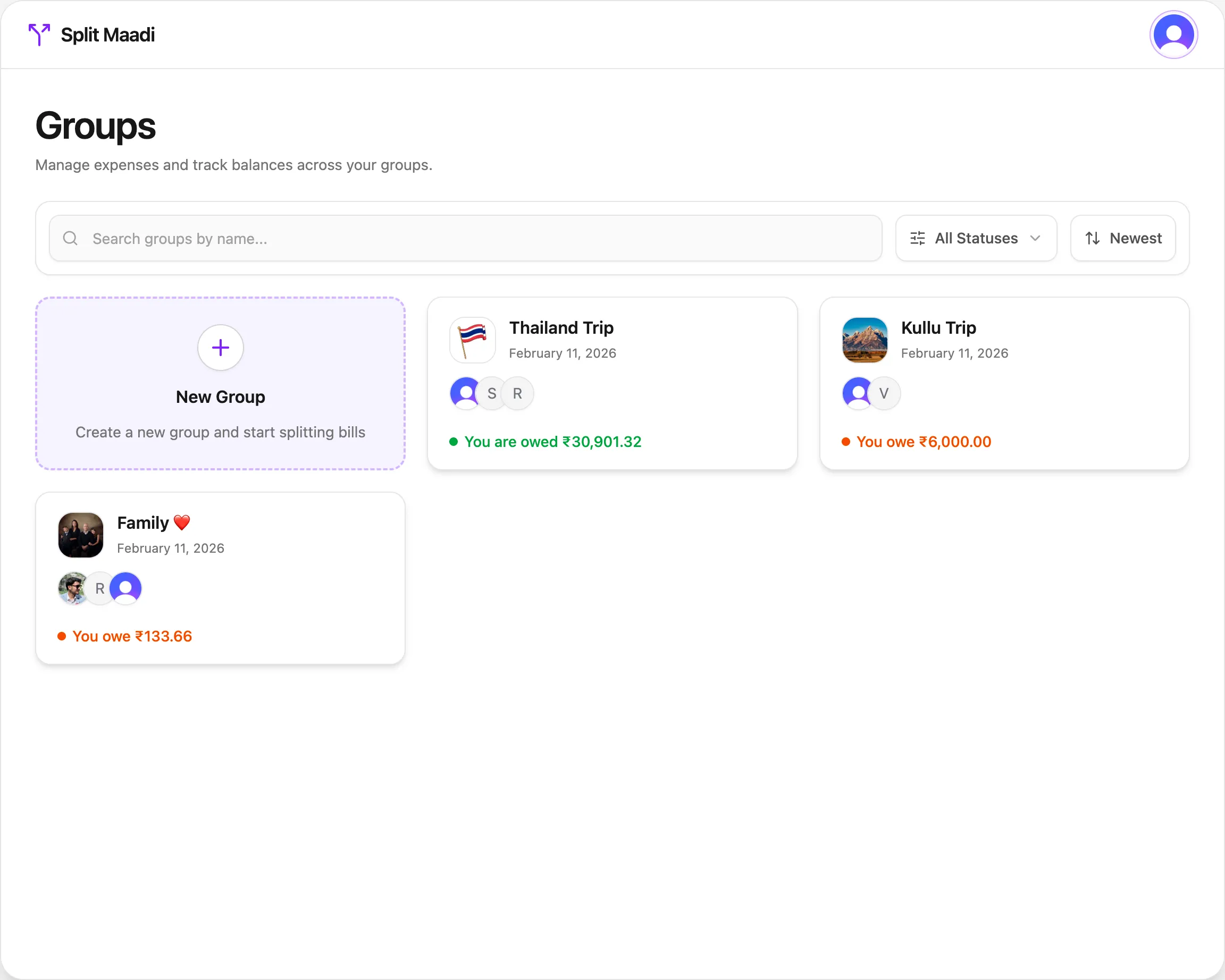
All your groups, one glance
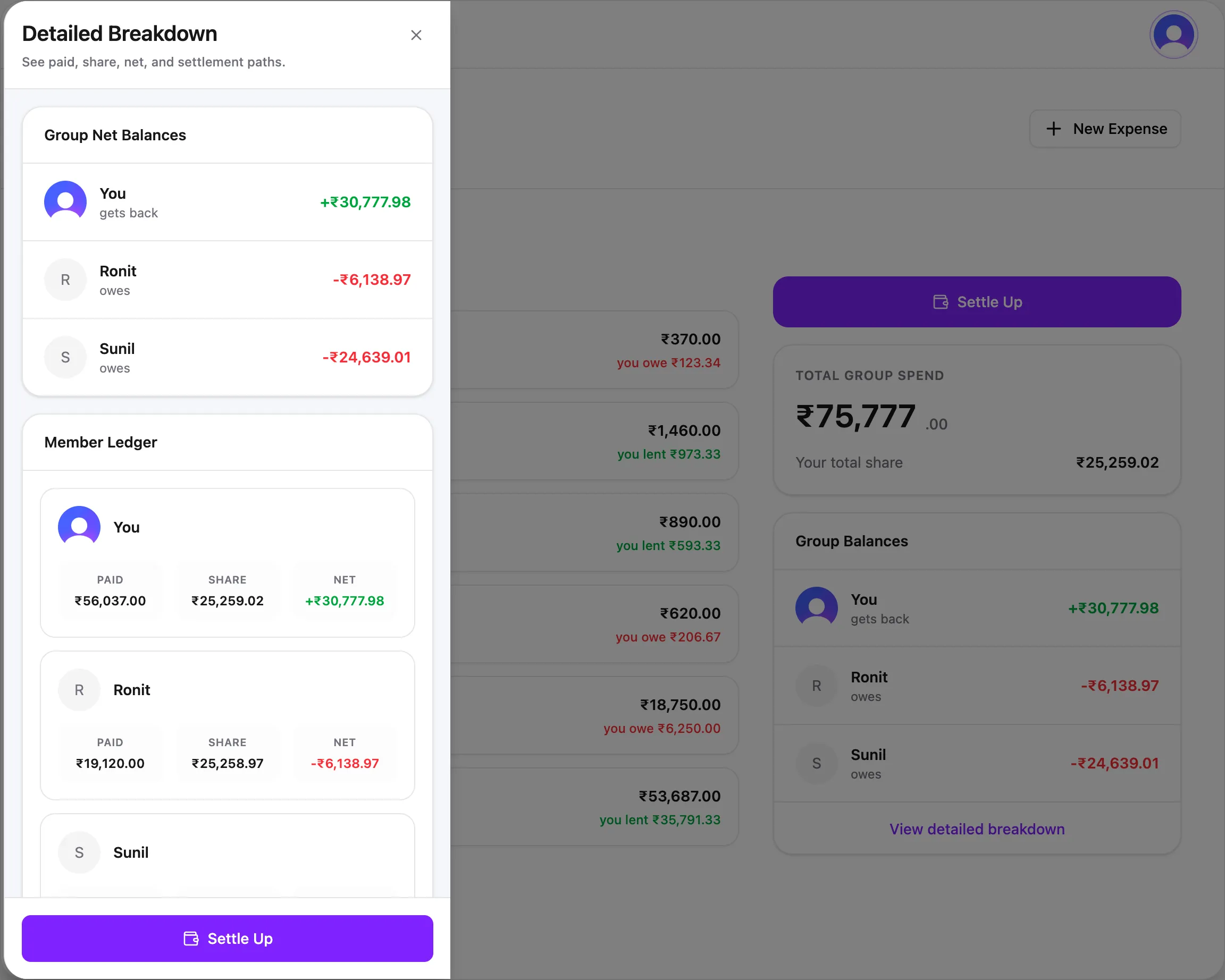
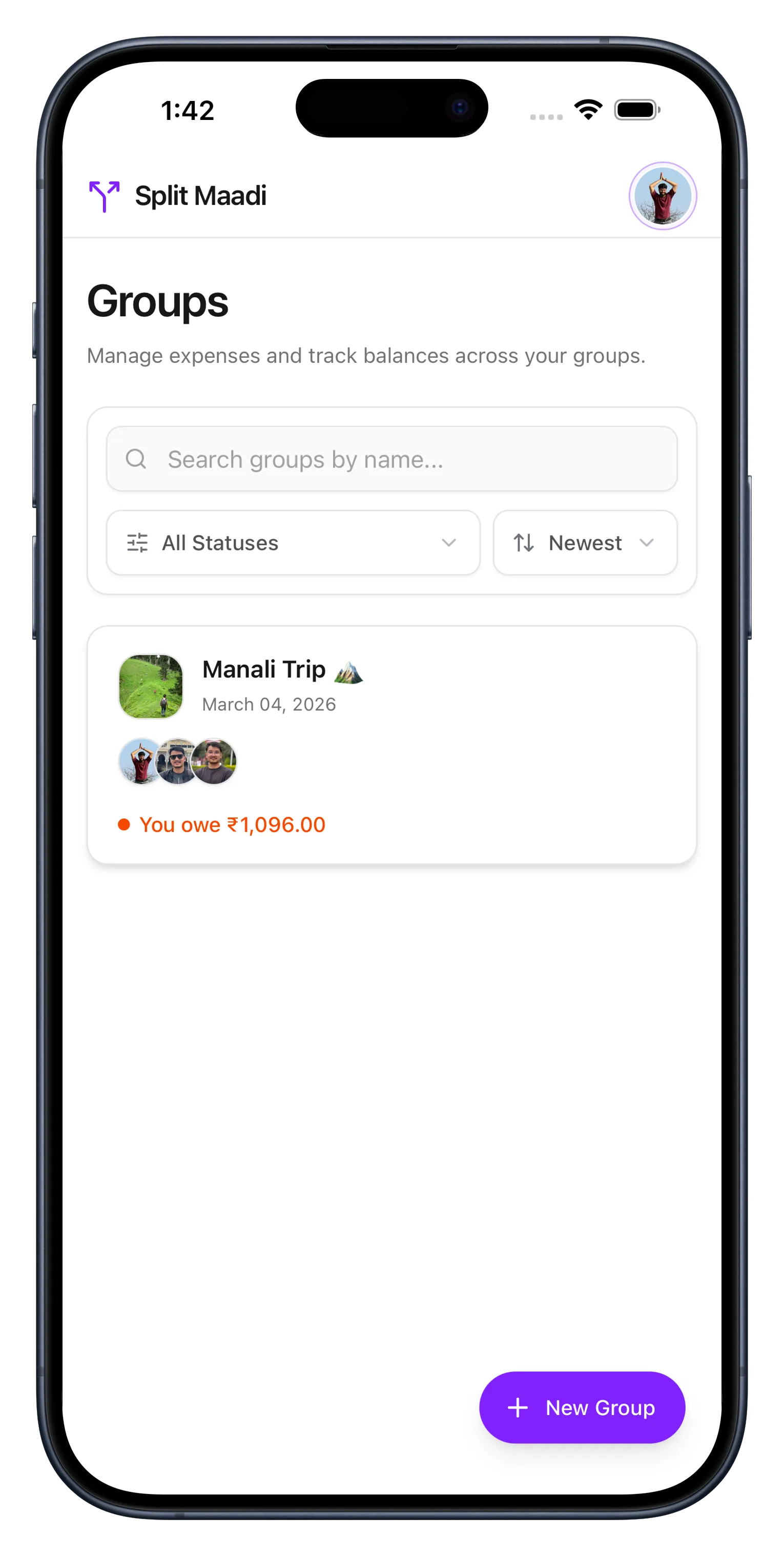
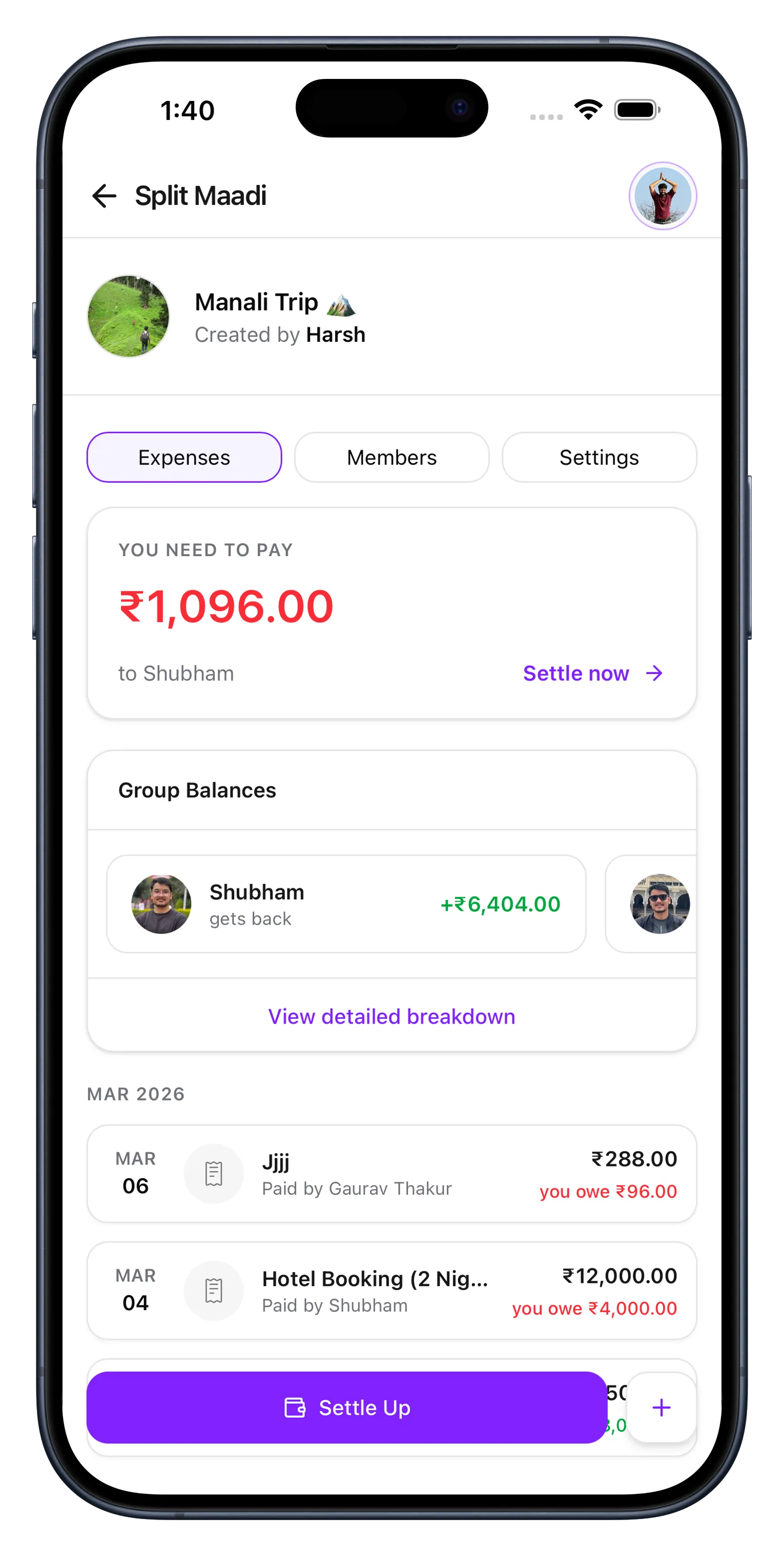
Every group, every balance, one screen. Jump into any group for total spend, member balances, and a complete expense timeline.
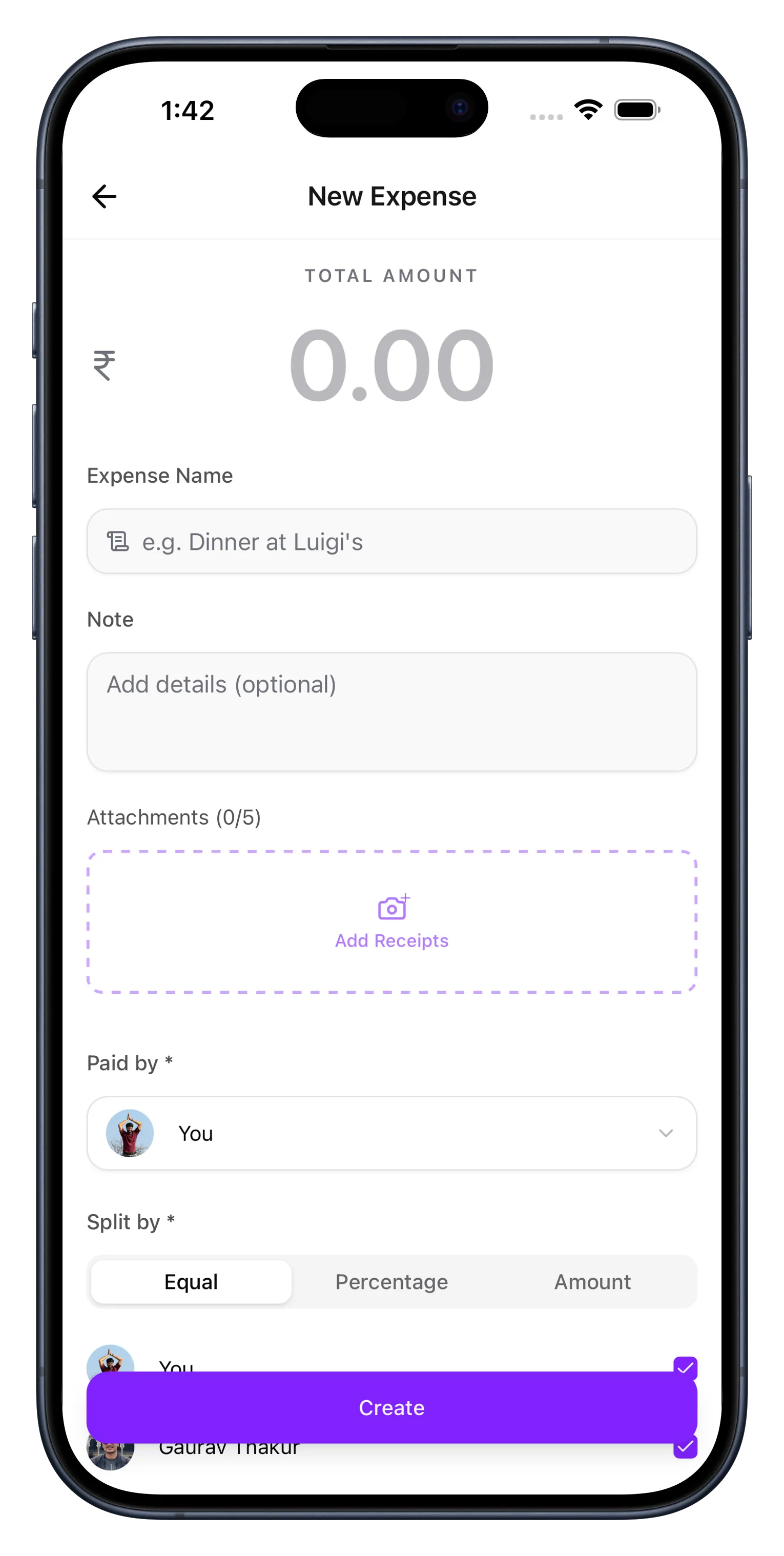
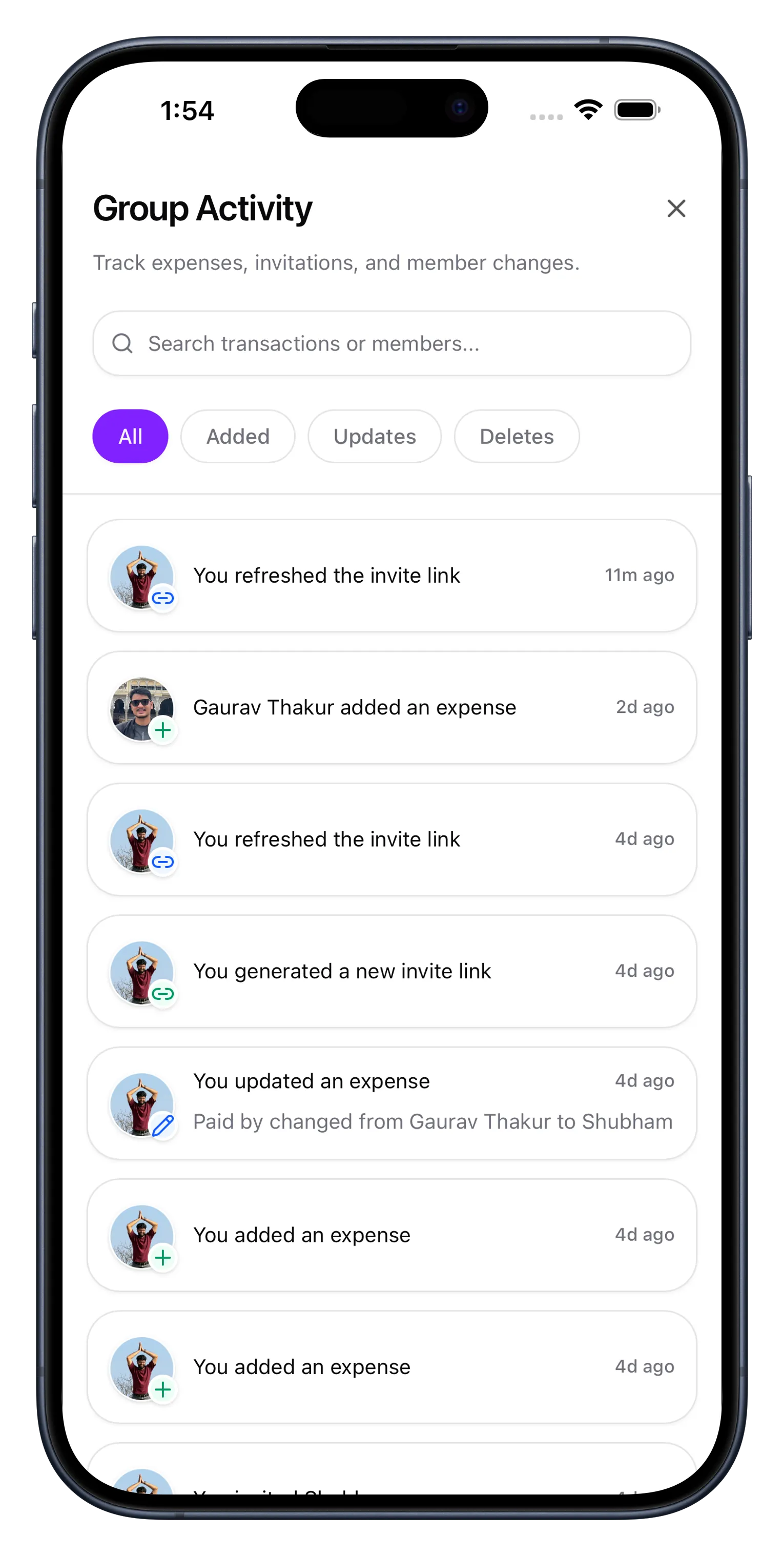
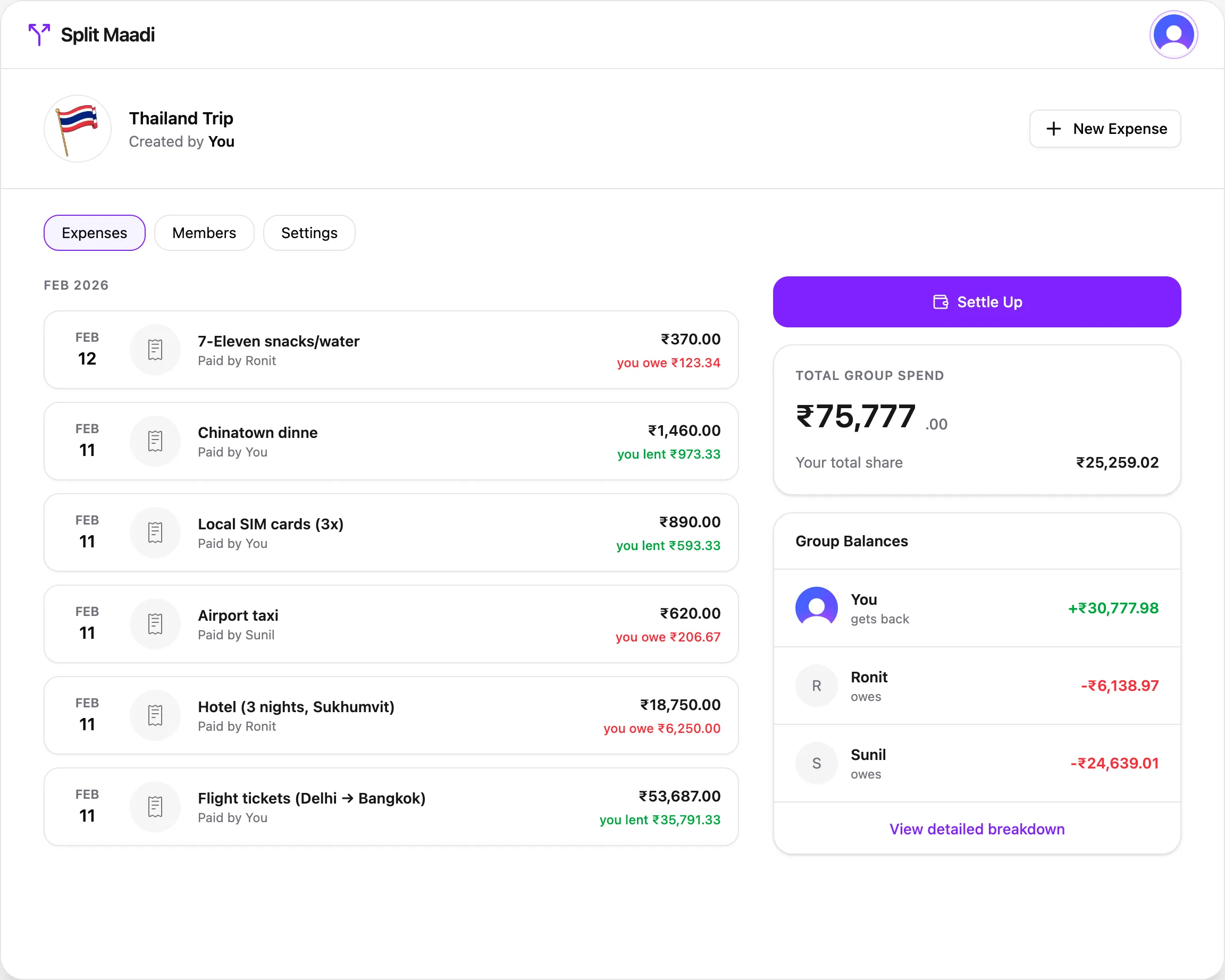
Full expense transparency
No more "who paid for what?" debates. Every expense shows the full split — who paid, who owes, and who gets back — with receipts and notes attached.
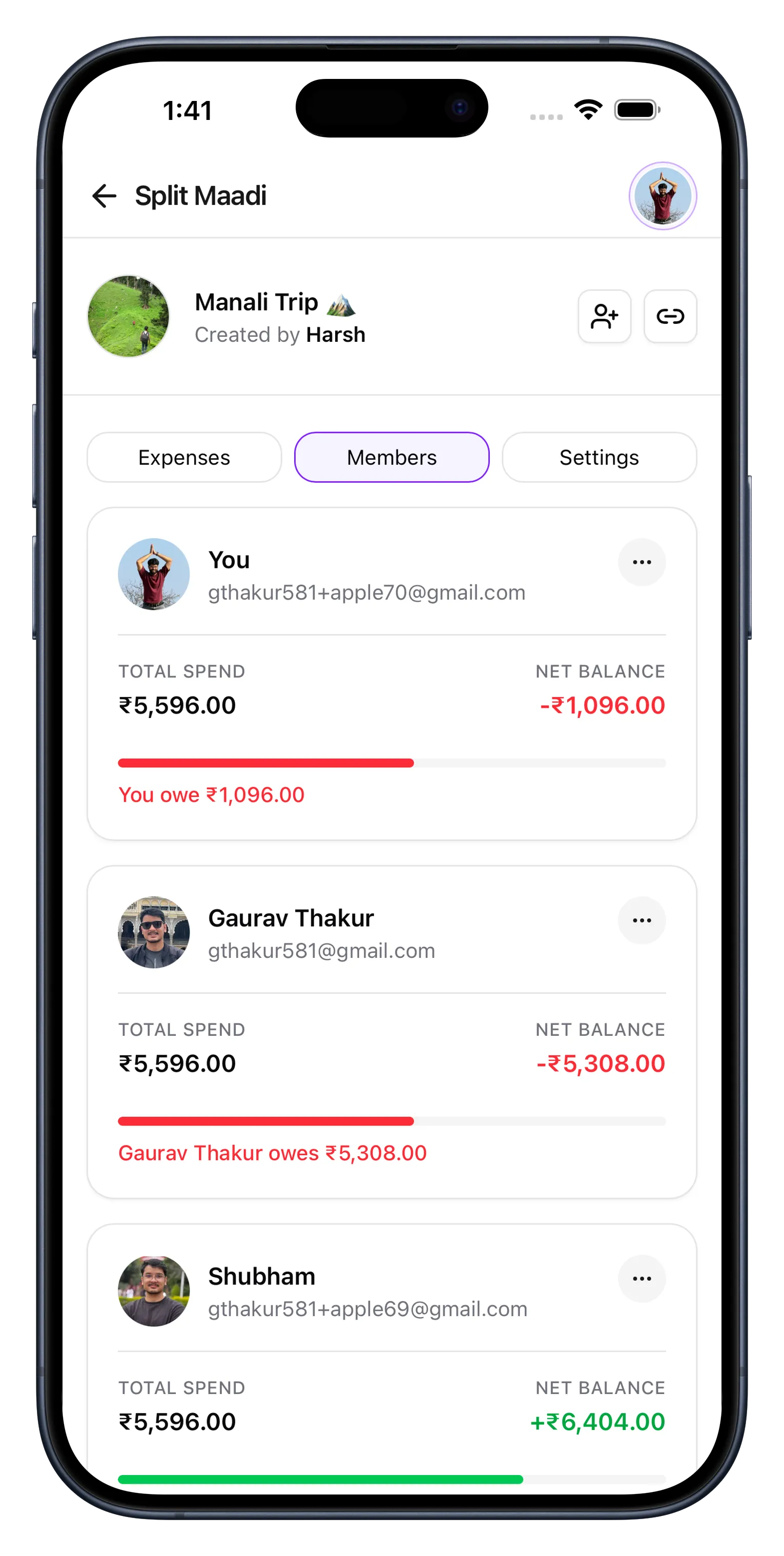
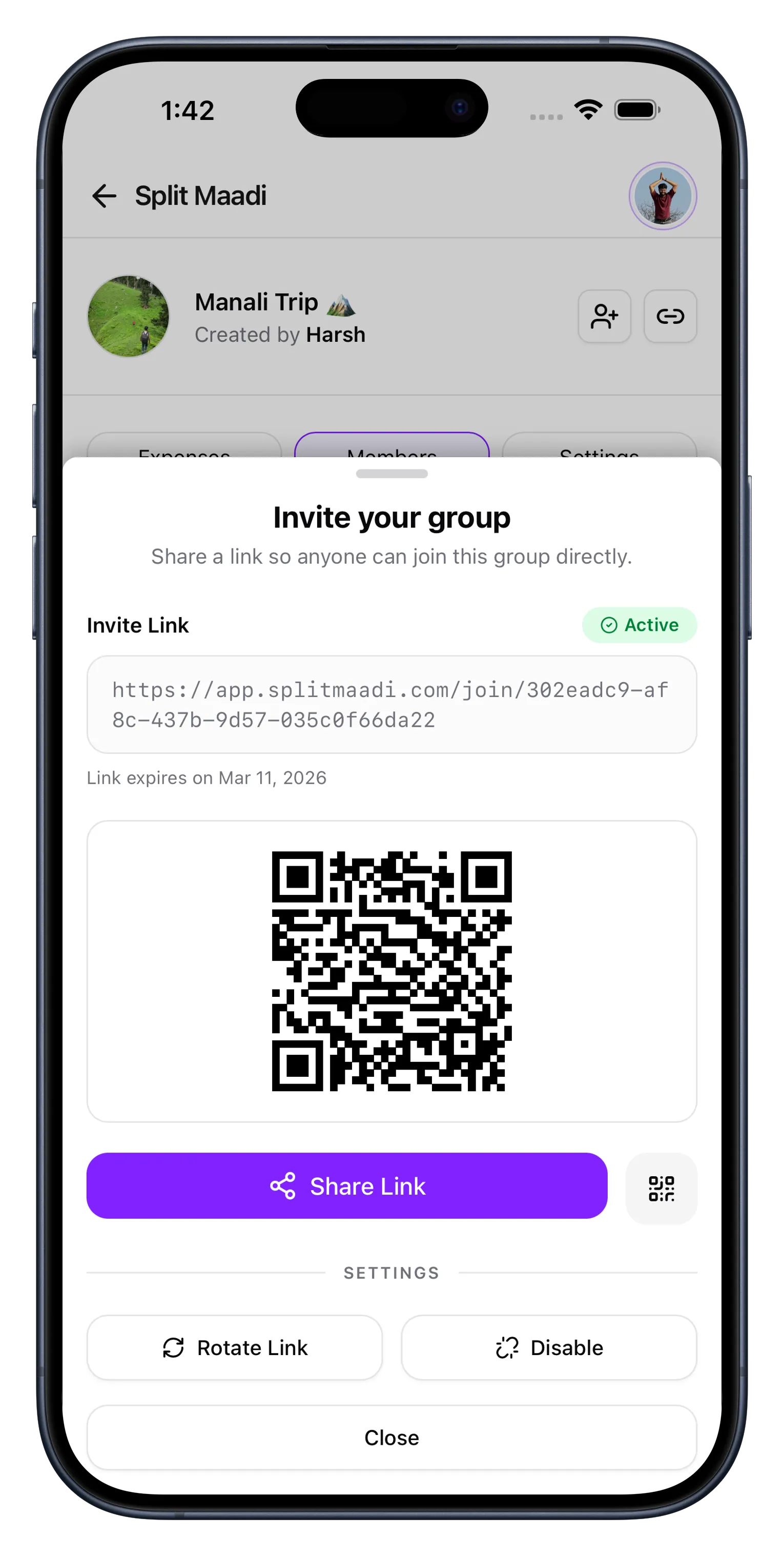
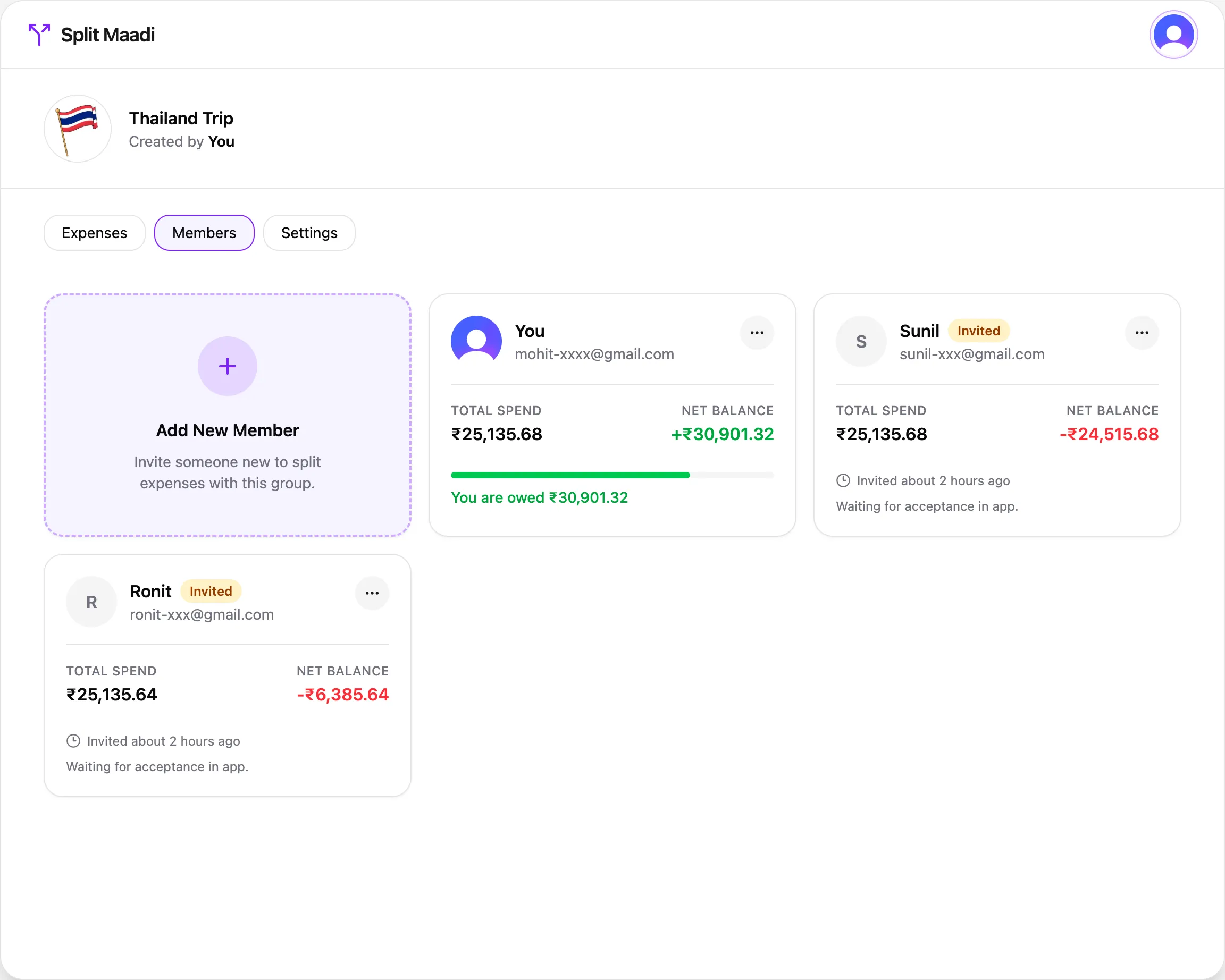
Your crew, your ledger
Add members by name and email, or share an invite link. The full ledger tracks paid, shared, and net amounts for everyone.
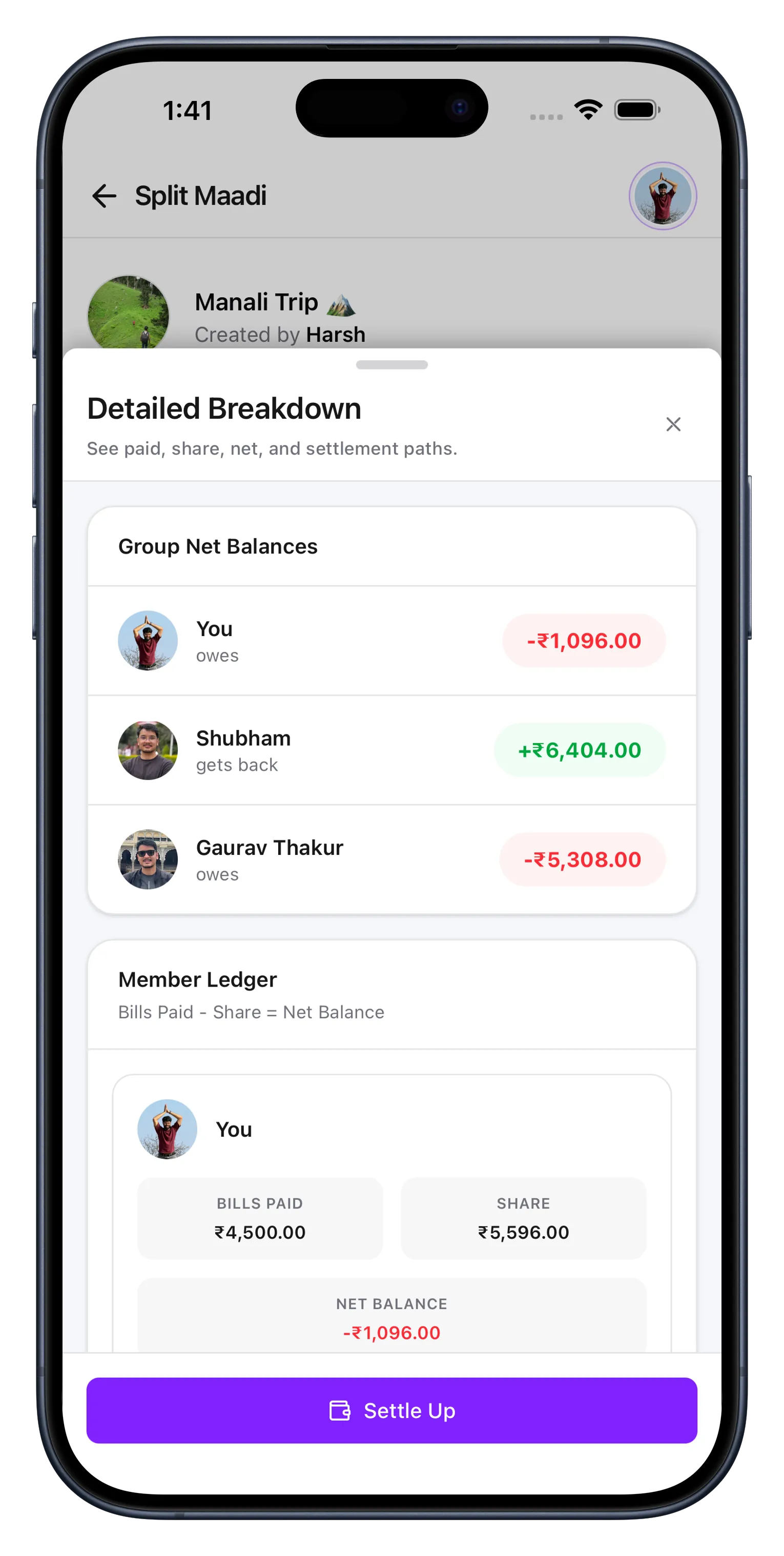
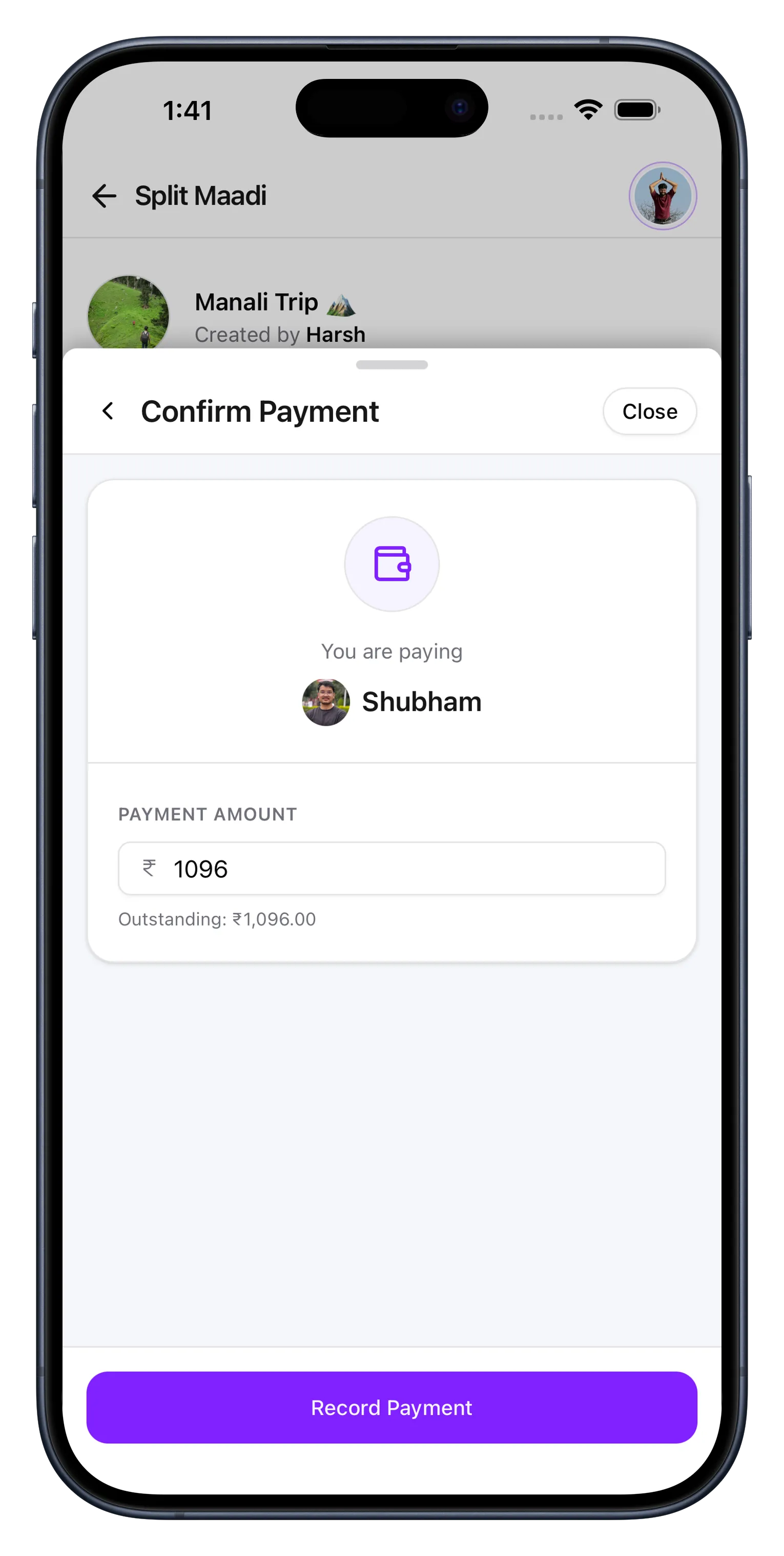
Settle up in two taps
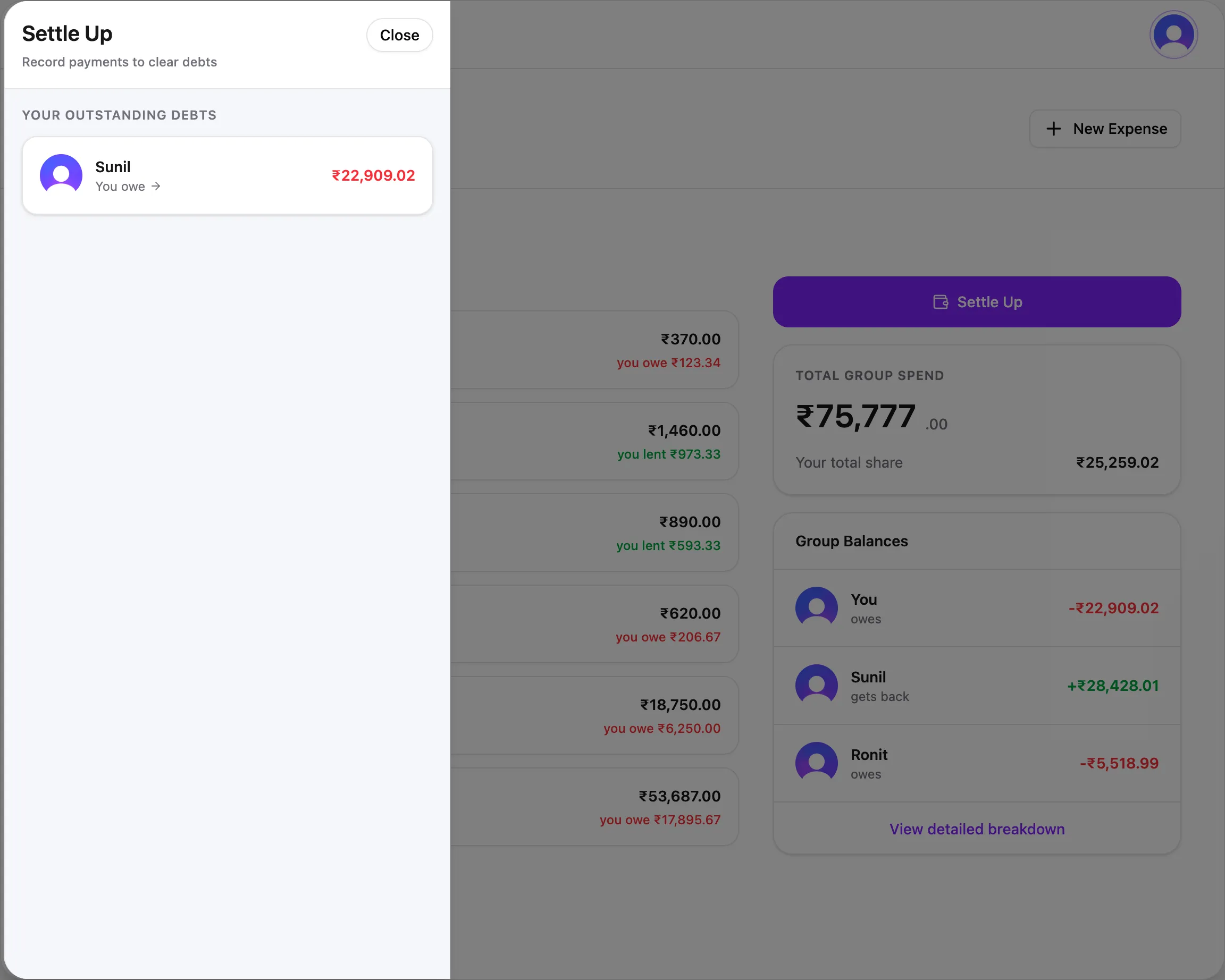
No mental math about who owes whom. Pick a debt, confirm the amount, done. Everyone stays square.
Start splitting in seconds.
No credit card. No subscription. No catch. Create your first group and add an expense in under a minute.
Get started — it's freeUsed by people who hate awkward money conversations.
From weekend trips to monthly rent, Split Maadi takes the friction out of shared expenses.
We used it for our Goa trip — 8 people, 4 days, absolute chaos with who paid for what. Had everything settled before the flight home.
PMPriya MenonTrip organiser, alwaysMy flatmates and I have been using it for groceries and rent for a couple of months now. No more screenshots of UPI transactions in the group chat.
ADArjun DesaiSoftware engineer, Bangalore
Honestly I just needed something simpler than Splitwise. This does what I need without asking me to sign up for a premium plan every time I open the app.
SKSneha KapoorProduct designerThe percentage split is clutch. We split our office lunch based on what each person ordered — no more "just split it equally" when someone only had a coffee.
RSRahul SharmaRuns the office lunch fund
I was tracking expenses in a Google Sheet before this. The fact that it shows the simplest way to settle up between everyone saves me 20 minutes of mental math.
AIAnanya IyerFreelance consultantSet up a group for our family expenses. My parents can use it too, which says a lot about how simple it is.
VPVikram PatelMoved back home, no regrets
Free. No catch.
No premium tiers, no usage limits, no trial that expires. Every feature, every user, forever.
$0/forever
Everything you need to split expenses with friends, roommates, or travel buddies.
- Unlimited groups and expenses
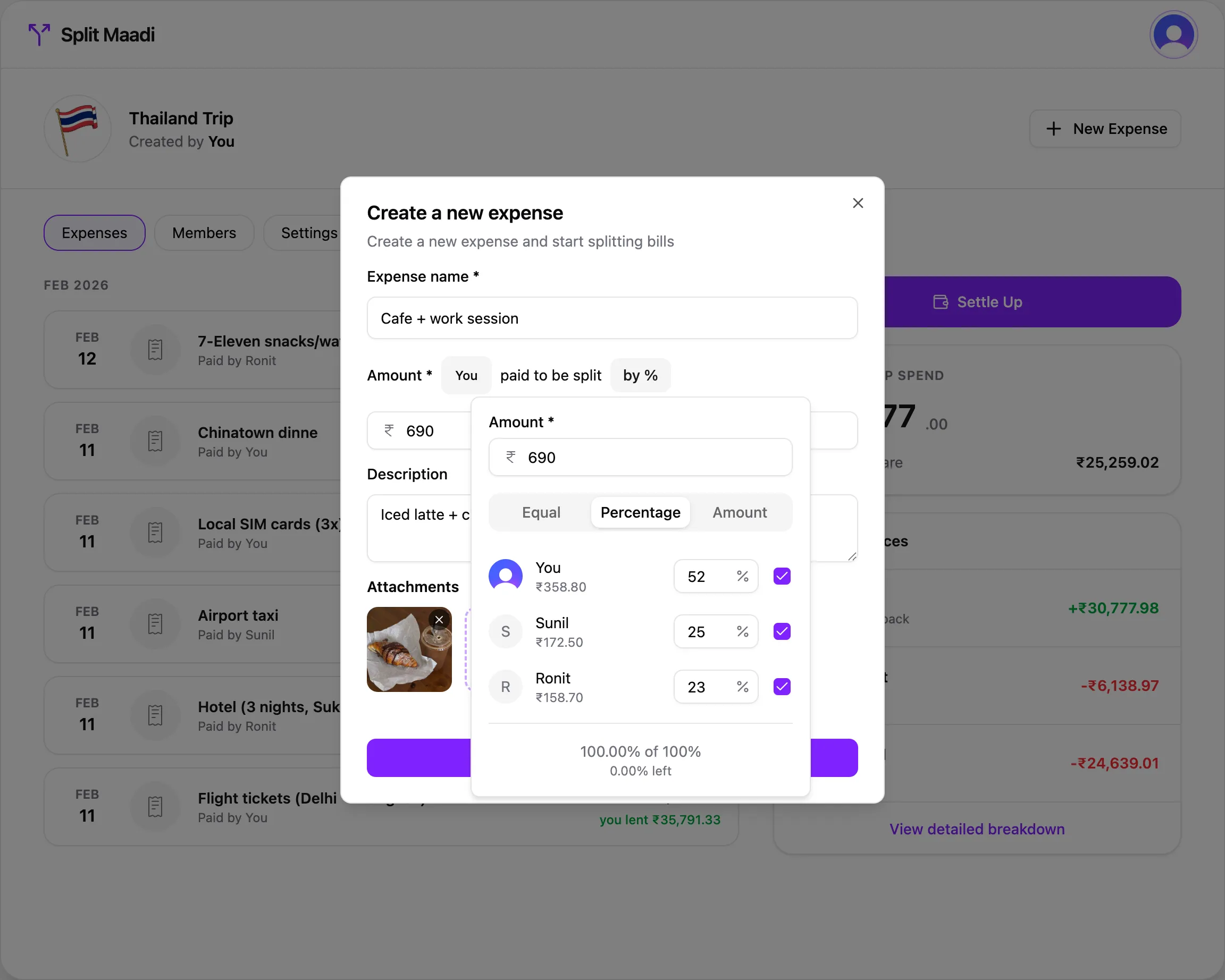
- Equal, percentage, and exact splits
- Multi-currency support
- Receipt attachments
- Simplified debt settlement
- Invite links and QR codes
- Full activity history
- Real-time member balances
- Works on web, iOS, and Android

Frequently asked questions
Everything you need to know about Split Maadi. If your question isn't here, it probably should be — we're always adding more.
Is Split Maadi free?
Yes, completely free. There are no premium tiers, no hidden fees, and no limits on the number of groups or expenses you can create.
Do all members need accounts?
No. You can add people to a group by email or share an invite link. They will be able to see their balances and settle up when they sign up.
What currencies are supported?
Any currency you need. You set the currency per group, so you can track expenses in whichever currency makes sense for that trip or household.
How does splitting work?
You can split equally, by percentage, or by exact amounts. You also choose which participants are involved in each expense.
Can I attach receipts?
Yes. Snap a photo when creating an expense and it will be attached for everyone in the group to see.
Does it work on my phone?
Split Maadi works everywhere — web, iPhone, iPad, and Android. Download it from the App Store on iOS, or add it to your home screen on Android for a native app experience.
How do settlements work?
Split Maadi calculates the simplest way to settle all debts within a group. You can then track payments as they happen.
Does it handle recurring expenses?
Not yet, but recurring expenses are a planned feature. For now you can quickly duplicate past expenses.
Is my data private?
Yes. Only members of a group can see its expenses. Your data is protected with industry-standard encryption.